How to use Paycoinly In Point-of-Sales and Local Businesses
Paycoinly is also a good choice to local businesses like local stores, barbers' shops, laundries, gyms, coffee shops and other physical retail locations looking to accept cryptocurrency payments.
Configure POS option
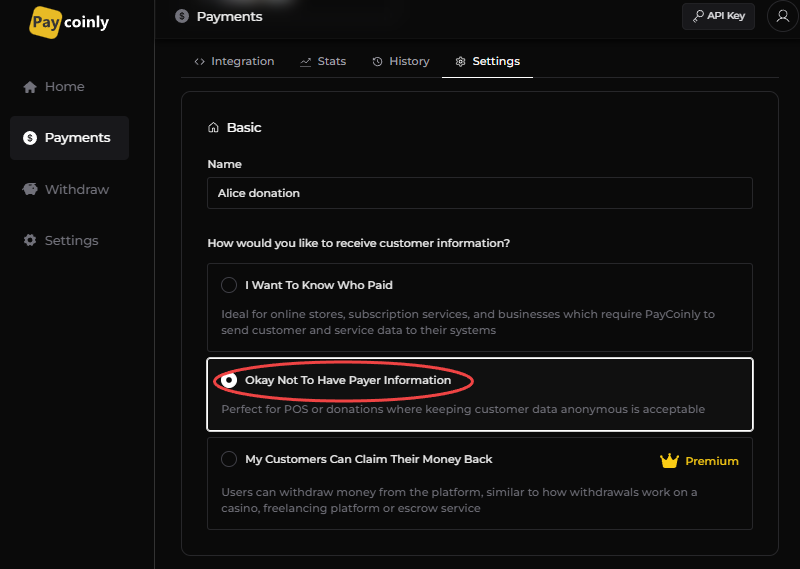
Navigate to Payments > Settings > Basic and select Okay Not To Have Payer Information
Enter price information
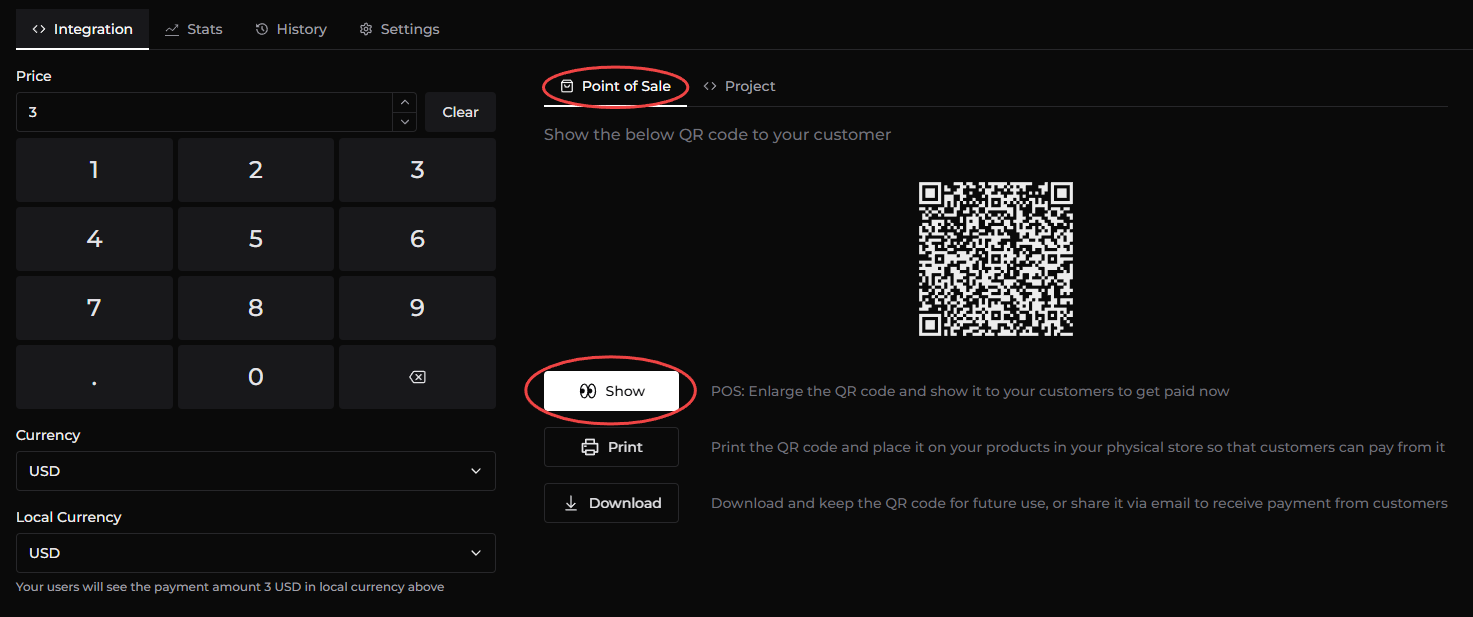
Navigate to Payments > Integration and enter Price, Currency and Local Currency.
Show the QR code to your customer
Navigate to Point of Sale tab and click Show button to show the QR code to your customer to receive the payment.